
Our miniBricks are your key to complete show control! These little bricks of might have been used in the world over in all things animatronic, costume, droid, light control and general show control. If you need animation- the miniBricks got you covered.
Let’s get the technical bits out of the way, starting with the Big Daddy of show control, Br-miniBrick8:
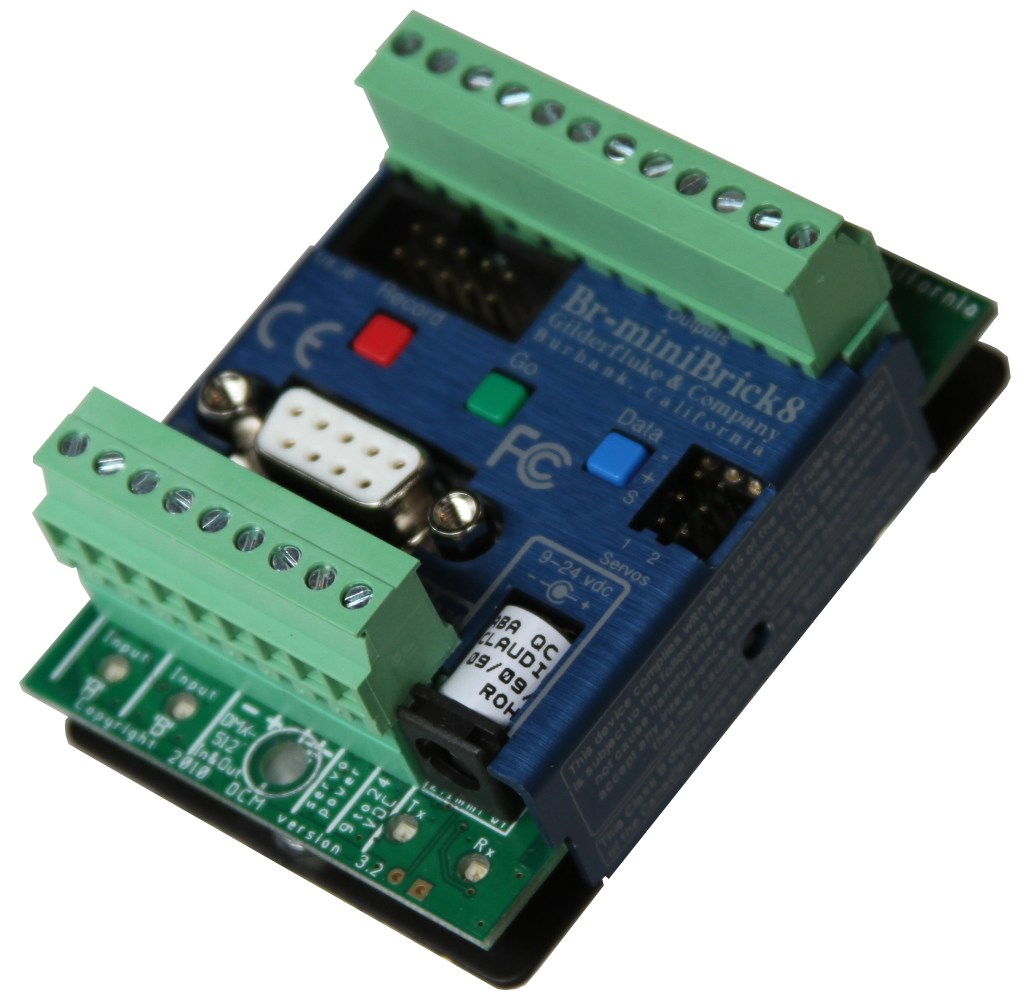
The Br-miniBrick8 is a complete stand-alone Show Control System. It features two ‘trigger’ inputs, DMX-512 input, two airplane-style servo motor control outputs and eight high current outputs for driving solenoids, lights and relays.
You can program the digital outputs without a computer. Press and hold the red ‘Record’ button until the first output flashes. Press again to step to the output you want to record. When you are ready to record, tap the green ‘Go’ button. Any previously recorded data will play back. While you press and hold the ‘Record’ button, anything you do on the blue ‘Data’ button is recorded on this one output while the other outputs continue to play back. The Br-miniBrick8 will remember exactly what you do and precisely when you did it. You repeat this until you have all eight outputs programmed just the way you want them.
To program the Br-miniBrick8 using a computer, you can draw the sequence you need on the screen of your computer using our included PC•MACs software. With the optional PC•MACs ‘RealTime’ license, you can program in RealTime using the PC’s mouse/keyboard. PC•MACs will remember exactly what you do and precisely when you did it. When you have all your shows completed, you can send them to the Br-miniBrick8 through the serial port. The PC can then go away. The Br-miniBrick8 will run by itself. Features of the Br-miniBrick8 include:
- Automatic ‘program in place’ download through the standard serial port on your PC and the included PC•MACs software. It takes about twenty seconds to download a fifteen minute show.
- Each Br-miniBrick8 has a single channel show capacity of over thirty-six minutes at thirty updates per second! Once programmed, shows are saved for approximately forty years, with or without power applied.
- Two optoisolated inputs are used to trigger from push buttons, motion sensors, or any other type of switch.
- Supports up to 255 shows at a time (from serial). You can loop a single show or build ‘chains’ of shows.
- Each of the four outputs is rated for a continuous load of 150 ma., or 500 ma. peak at 24 vdc. This is enough to drive small solenoid valves, relays, lights, and similar loads. The LEDs show all output activity.
- Runs on anything from nine to 24 vdc, including batteries. Mounts in 2.75″ ‘Snap Track’ or on standoffs.
To add sound, use a Sd-10 or Sd-25-w/DMX Audio Repeater. If you need less outputs, consider our Br-MiniBrick4. For more i/o, use the Br-MultiBrick32. For built in animation and lighting control, audio repeaters, and amplification, use our Sd-50 series of controllers.
Looking for something a little more simple? But with similar *ooompf*? Here’s the Br-miniBrick4 breakdown:
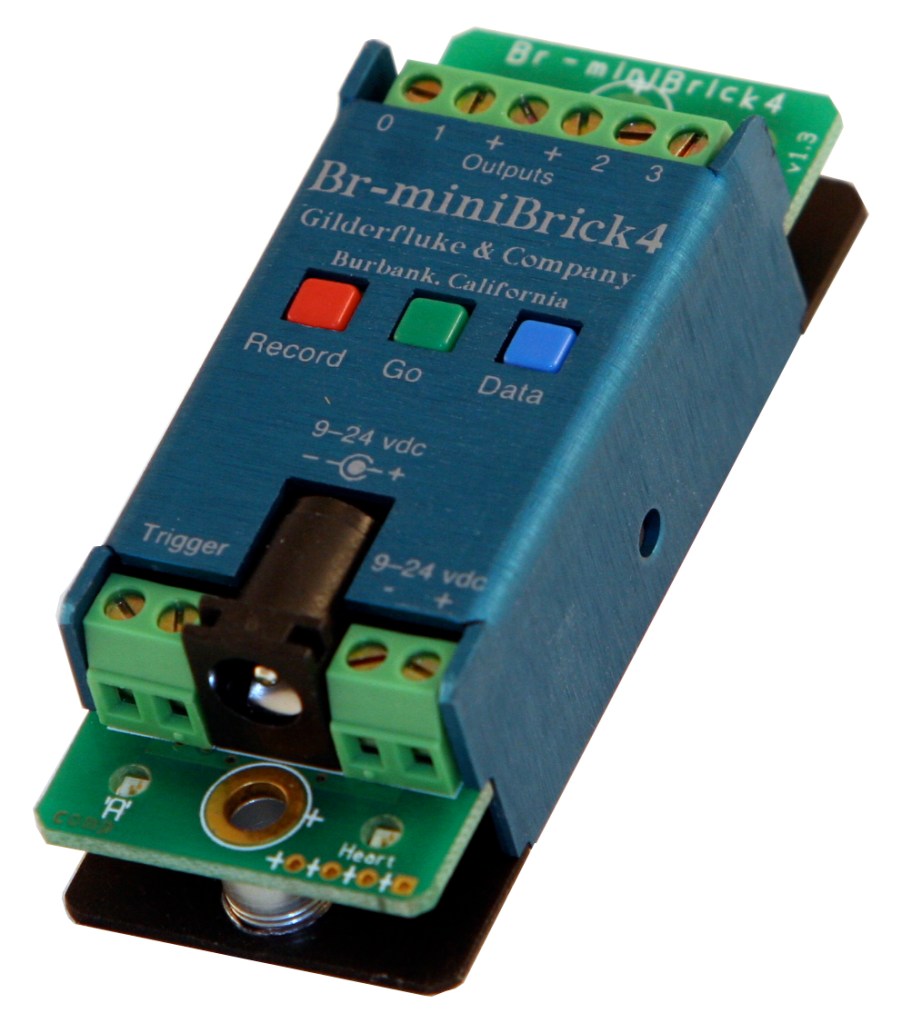
The Br-miniBrick4 is a complete stand-alone Show Control System. It features a single ‘trigger’ input, and four high current outputs for driving solenoids, lights and relays.
To program the Br-miniBrick4, simply press and hold the red ‘Record’ button until the first output starts flashing. Press again to step to the output you want to record. When you are ready to record, tap the green ‘Go’ button. Any previously recorded data will play back. If you press AND HOLD the ‘Record’ button, anything you do on the blue ‘Data’ button is recorded on this one output while the other outputs continue to play back. The Br-miniBrick4 will remember exactly what you do and precisely when you did it. You repeat this until you have all four outputs programmed just the way you want them. Features of the Br-miniBrick4 include:
- Each Br-miniBrick4 has a show capacity of over four minutes at thirty updates per second! Once programmed, shows are retained for approximately forty years, with or without power applied.
- One isolated input is used to trigger from push buttons, motion sensors, or any other kind of switch.
- Each of the four outputs is rated for a continuous load of 250 ma., or one amp peak at 24 vdc. This is enough to drive small solenoid valves, relays, lights, and similar loads. The LEDs show all output activity.
- High quality cage clamp-style screw terminals for all power, trigger, and output connections.
- Runs on anything from 9 to 24 vdc, including batteries or solar cells.
- Sturdy metal case mounts in 2.75″ ‘Snap Track’, with Velcro, double face tape or a pair of screws.
- Optional serial port adapter (Serial Adapt 2)allows RealTime programming and ‘downloading in place’ through our easy-to-use PC•MACs software. This lets you program with greater accuracy, or program lots of Br-miniBrick4s identically! When downloaded, a Br-miniBrick4 can hold more than one show at one time and supports update rates from one frame per second to a maximum of one hundred frames per second. This allows you to program ‘delay’ shows that tick along at low frame rates between your main shows. The ‘Next’ show can be set for the end of any show, allowing you to build ‘chains’ of shows. Shows can be accessed sequentially or directly using the single input. The input can also be set to start, stop, pause, continue, or directly select a specific show.
To add sound, use a Sd-10 or Sd-25-w/DMX Audio Repeater. If you need a few more inputs and outputs, consider our Br-MiniBrick8 or Br-MultiBrick32. For built in animation control, audio repeaters, amplification, and lighting control, use our Sd-50 series controllers.
To add sound, use a Sd-10 or Sd-25-w/DMX Audio Repeater. If you need less outputs, consider our Br-MiniBrick4. For more i/o, use the Br-MultiBrick32. For built in animation and lighting control, audio repeaters, and amplification, use our Sd-50 series of controllers.
NOW FOR THE FUN STUFF:
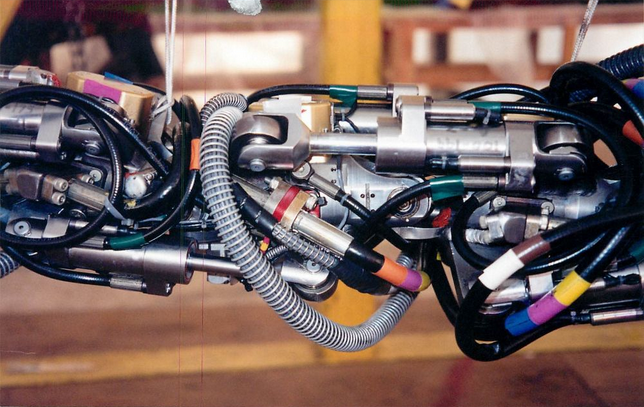
Our miniBricks were originally designed for animatronic control. They have been used in numerous animatronics all around the world, including in some famous magical attractions concerning a British boy with a scar on his head, some very famous droids, and some pretty sweet costumes that require various light and motion control (ideal for something like the Br-miniBrick4, since it’s so small you can build it into the costume with ease and no one would notice it’s there). Do you want to build your own Baby Yoda at home? Maybe you have an idea for some kind of Golum or elf? How about that weird character you thought of years ago but never built? The Br-miniBrick8 (or 4!) is your answer for controlling all those precise animations!
One such use was during the rise of Guitar Hero, a customer of ours rigged the Br-miniBrick8 to the Guitar Hero guitar, and the miniBrick hit all the marks, playing each song perfectly- allowing him to destroy the competition, thanks to our hardware!
The miniBricks have also been an excellent way to convince young and impressionable youth to get into the world of robotics, animation and animatronics. We’ve heard stories over the years of young future engineers getting a Br-miniBrick8 for the Holidays. After experimenting with our hardware, they ended up working for major companies such as Universal and Disney doing what they love- and the miniBricks helped them realize that passion.
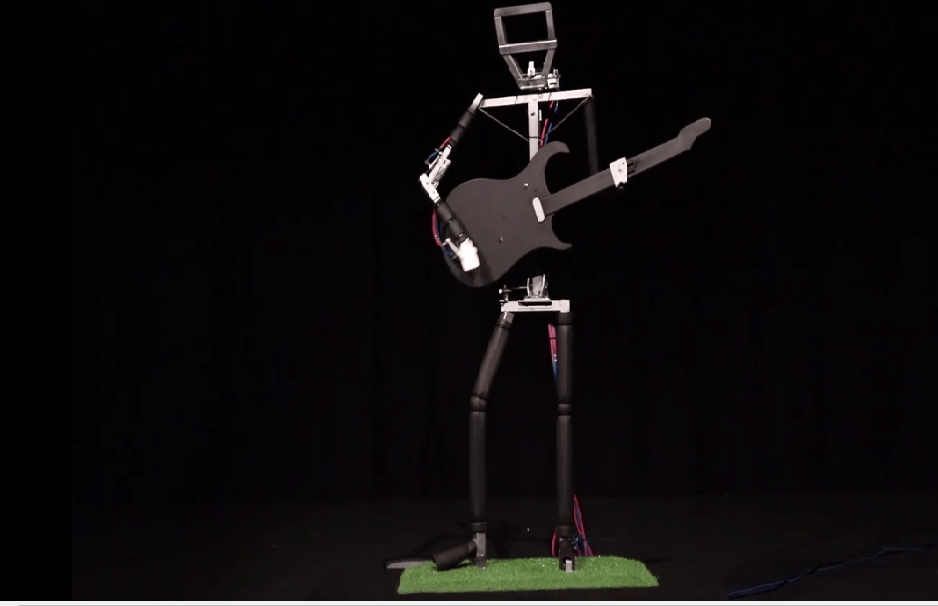
One pretty sweet example we received recently was from way down in Australia, a high schooler named Josh Beaman sent us this about an animatronic guitar playing robot he created using the Br-miniBrick8:
My animatronic character was designed to be a robotic entertainer, fitted with modern show control technology. The character is a life-sized guitar player that mimics the movements of a real guitar player, programmed to an audio track. I had aimed to create a humanoid structure that could be controlled as effectively as possible but relatively in-expensive materials and techniques.
The control board, being the Gilderfluke BR-MiniBrick8, is hooked up to an eight channel relay board to increase the amperage for solenoids since they needed more power to trip correctly and consistently. The MiniBrick using the PC-Macs software, runs all seven movements of the pneumatic character.
** I have also recently won the nationals with this project for the ‘Young ICT Explorers competition’, information can be found at this link;
Young ICT Explorers (He won 1st place for years 11 & 12!!!!)
** Since the Nationals were being held in another state, Sydney NSW, and I reside in Queensland, I was unable to attend, so the video in the folder was my entry into the competition & I won. It’s using a Beatles song, so I am not too sure on what the copyright laws allow? (It’s ok Josh, we will take the risk!)
** Finally, a big thanks to everyone at Gilderfluke. The only main concern I had with building and creating this project was the control system. Your company made the controller and programming phase of production a breeze due to all the helpful guidance and information provided for your control systems and boards.
Thanks again
Josh
Check out Josh’s super sweet project HERE
Everyone at Gilderfluke is so impressed and proud of Josh and his awesome work, we can only expect great things from him in the future! If he’s doing this as a teenager, imagine what he will do in his 30’s! He will be rolling with the best of them!
This also illustrates another key aspect of Gilderfluke- if you need help or advice with your product, call us! We are always open to assist you with whatever you want to create! Plus, it’s always great seeing the amazing projects and creations pumped out all over the world using Gilderfluke products!
If you are interested in checking out the miniBricks and all the other fabulous product offerings- check out our website!
Check us out next week as we plunge into the depths of the SER-DMX!
 GilderBlog