Stay Tuned After this Brief Advertisement!
Ahh the month of March! We are moving into springtime, it’s March Madness, we have not only St. Patrick’s Day coming up BUT we here at Gilderfluke are going to St. Louis for the TransWorld Halloween and Attractions show! If you’re going, come by and say hello! We will be at booth 1030! It’s going to be a splendid time! Now, on with the show!

**Here’s an introductory breakdown of this month’s themes and upcoming articles!**
Videos at Gilderfluke: The Beginning
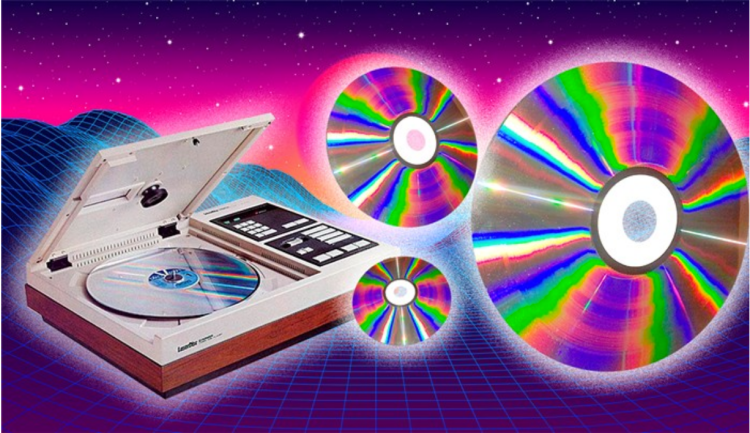
Gilderfluke has provided video for decades, when we started we used a little known thing called a LaserDisc player, which, despite the fact that at it’s peak in popularity only 2% of American households used them, were the best choice in video players in the late 1980s and early 1990’s. If you’re not familiar with LaserDiscs, let’s give you a bit of background- the Laser Disc itself looks like a record-sized DVD. The video quality is leaps and bounds better than VHS, and used widescreen as opposed to the chopped-down square display VHS’ were known for. (for comparison, check out the YouTube video below comparing the intros of Star Wars: A New Hope)The only catch is, for a full-length movie, similar to a record, you’d have to flip the Laser Disc in the middle of the movie to continue watching. The standard LaserDisc player came from Pioneer, and at Gilderfluke we used the professional LDV 8000 model. For our uses, the main constraint was time- we were only able to use 15-30 min of video depending on the format.
LaserDisc also used Analog for their storage media, and it cost a lot, too! The discs were either pressed plastic or glass for custom jobs- but as you’d imagine, what’s essentially a pressed glass record is terribly fragile and were extremely expensive. Despite the benefits LaserDiscs provided Gilderfluke, we moved quickly with the times and jumped straight into DVDs when the time came!
The introduction of DVD’s allowed for more frame-by-frame access of video. After solid state storage we moved to standard definition. Unfortunately, as the times continued to change, the supplier for our DVD players stopped making them- forcing us to find a new option.
Modern Times: BrightSign (Full Article Publishing Date: 3/11/20)
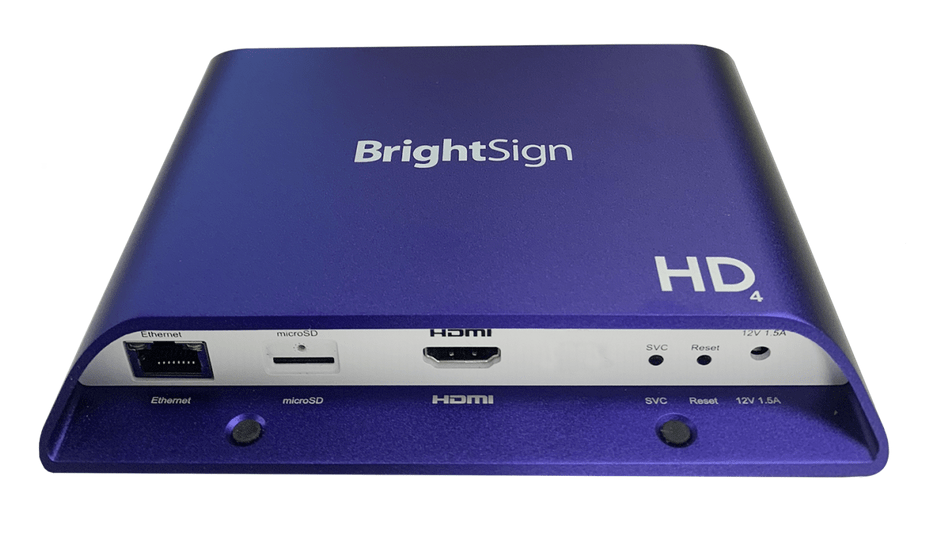
This leads us to our sleek, excellent video player we use today- BrightSign players. They initially started as very boxy, but our owner, Doug, saw the hardware they developed was not only advanced- but industrial-grade, durable and cost effective. As time moved on, BrightSign went through four more generations and adopted the sleek, blue players we use today! With each generation, they got better and better across the board. They do standard, 1080p high def, all the way up to 4k. And don’t fret, they’re as durable as ever- Gilderfluke’s mission is to provide not only the best quality, but also a long-lasting, durable line of products.
GilderScript (Full Article Publishing Date: 3/18/20)
One of the big benefits of using BrightSign is they allow users to do any configuration needed to achieve the customers’ goals, but for most people, there’s a huge learning curve. In comes GilderScript, which takes all the hassle out of manual customization and configuration- essentially giving a drag-and-drop programming solution so you can achieve what you need to easily and without issue.
v-Hd-to 1/4J6 and v-Hd-to DMX (Full Article Publishing Date: 3/25/20)
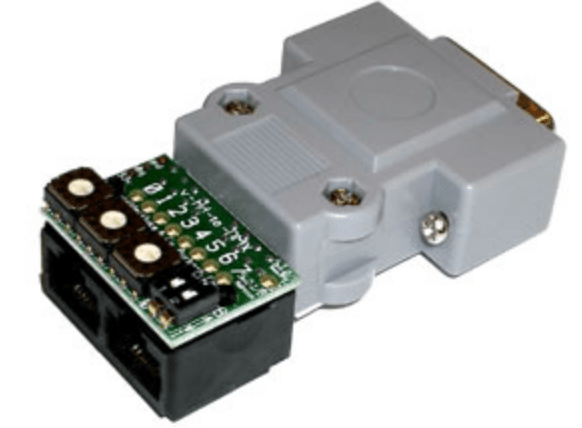
The v-Hd-to 1/4J6 allows for the BrightSign and other video players to be optically isolated and connected to digital output boards, and trigger shows via standard DMX. It also does muscial incorportaion via plug/jack, and doesn’t require an operator to trigger it, it just plays in sync with the coordinated show!
These also tie into PC-MACs, you can set up video folders, load onto the micro SD card for the video player, drag and drop into PC-MACs and you’re ready to run your show!
For way, way more detail about each of the topics (briefly) discussed, come back next week, every week! Learn more about Gilderfluke! Learn more about all the cool possibilities our products have in store for you to truly unlock your creative potential!
Happy March!

 GilderBlog